
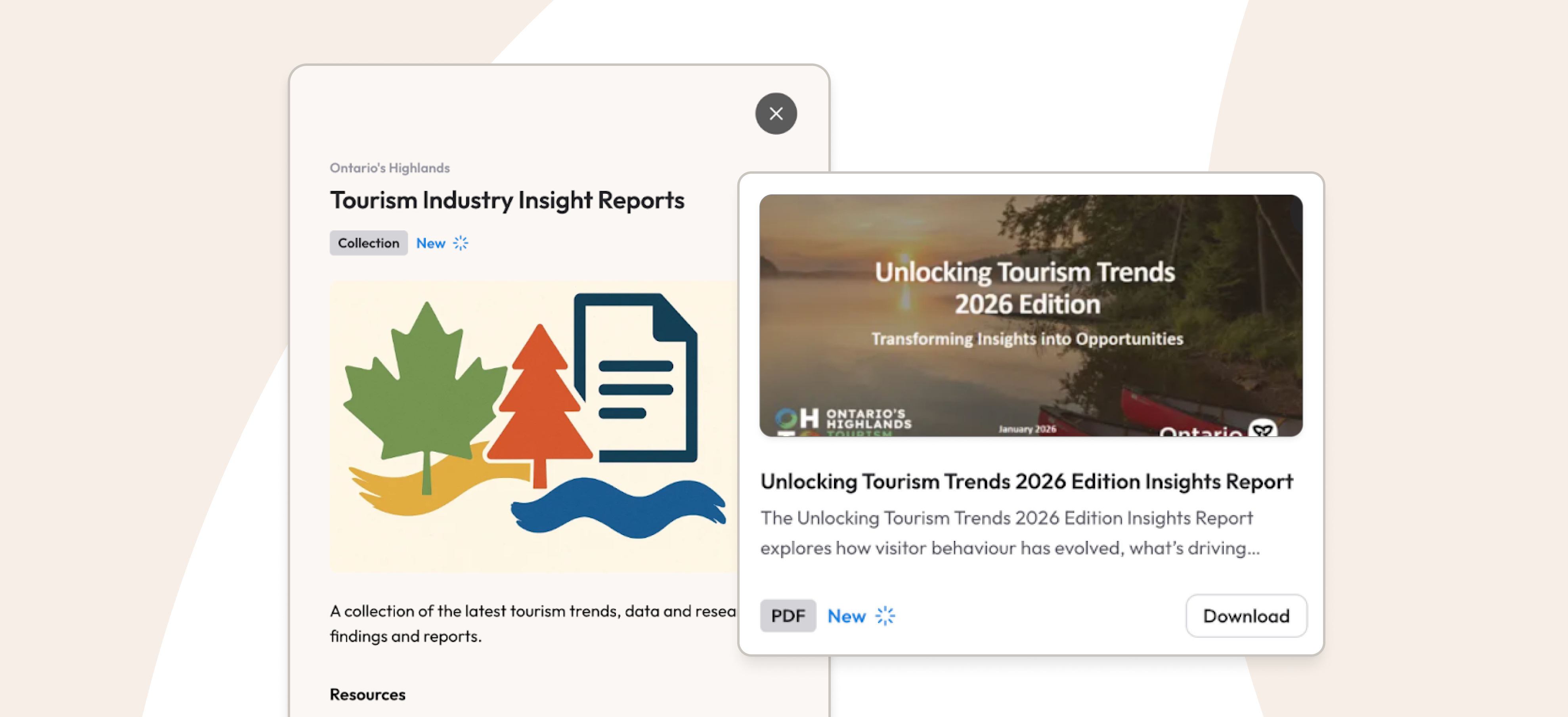
Broadcasts: A better way for DMOs to communicate, share, and engage with tourism partners

If you work at a destination organization, you know that communication is a major part of your role. You share marketing opportunities with operators, provide updates to your board, collect feedback from partners, and distribute resources that help the local tourism industry succeed. On small teams, this work often falls to one or two people who are already juggling many responsibilities.
Most DMOs manage this communication through a mix of email lists, spreadsheets, and manual follow-ups. While this approach can work, it's time-consuming and hard to maintain. Contacts change, emails get buried, and attachments are missed. And once a message is sent, it's difficult to know who has actually seen it or taken action.
At Whereabouts, we created Broadcasts precisely to solve this problem, and it was one of the most highly requested features from our early customers. (To learn about all of Whereabouts’ tourism CRM features, read this article.)
Broadcasts turn your stakeholder database into a communication channel
Instead of managing email lists outside your CRM, Broadcasts let you send messages directly through Whereabouts using the contacts, tags, and lists you already have.
"Broadcasts are a very neat feature that I am so happy has been developed and available to us," says Kasey Rogerson, Director of Industry Development at Ontario’s Highlands Tourism Organization.
Kasey likes how easy it is to target specific groups in her membership:
"It allows us to send out messaging specifically to different users or to our entire database, and we can curate different resources or specific messaging about a certain project, campaign, or a recent initiative or program that we've launched. And we can also then track who's engaged with that content."
This is what makes Broadcasts different from email. Every message you send is tied to your actual membership database, the real people and businesses and organizations that make up your destination. You’re not managing a separate mailing list that falls out of date. You’re communicating through the same system where your stakeholder relationships already live.
That means less manual follow-up. Less guesswork. And less chance that important information gets lost in someone's inbox.
How do Broadcasts work?
You can post Broadcasts through your admin dashboard. Start by giving it a clear, concise title that your members will respond to. You can then add as many resources as you like such as PDFs, links, videos, surveys, and images.
Once your Broadcast is ready, select whether you’re sending it to everyone in your Directory, or use filters or tags to choose a specific group. Preview to see how the Broadcast will look, and publish. Published Broadcasts can be edited after the fact, too.
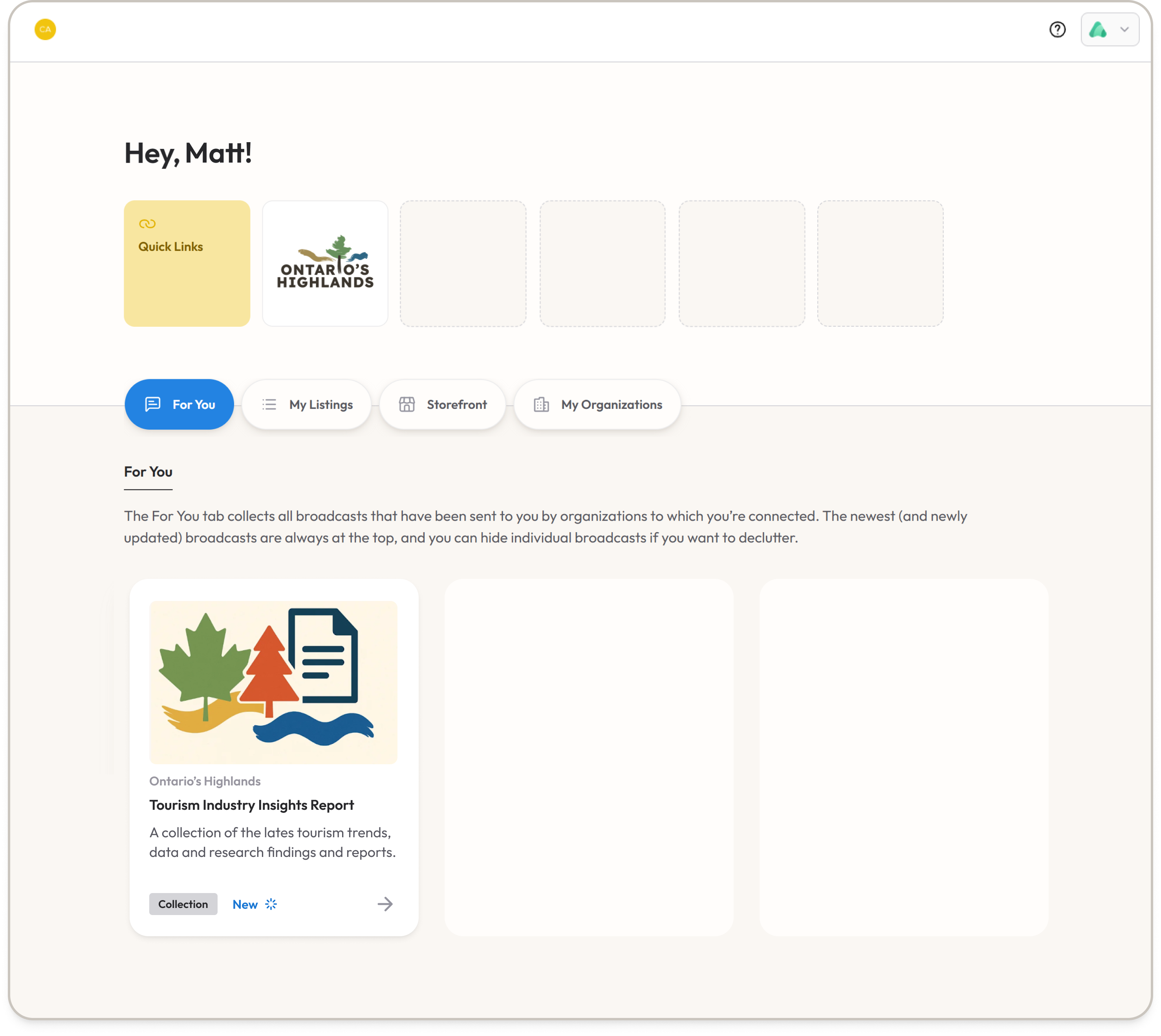
Recipients get notified on their For You page when a new Broadcast is available. (You can also choose to send an email notification letting them know that they have a new message.) Since this is the same platform they already use to manage their business profile and review performance data, everything is easy to review and stays all in one place.
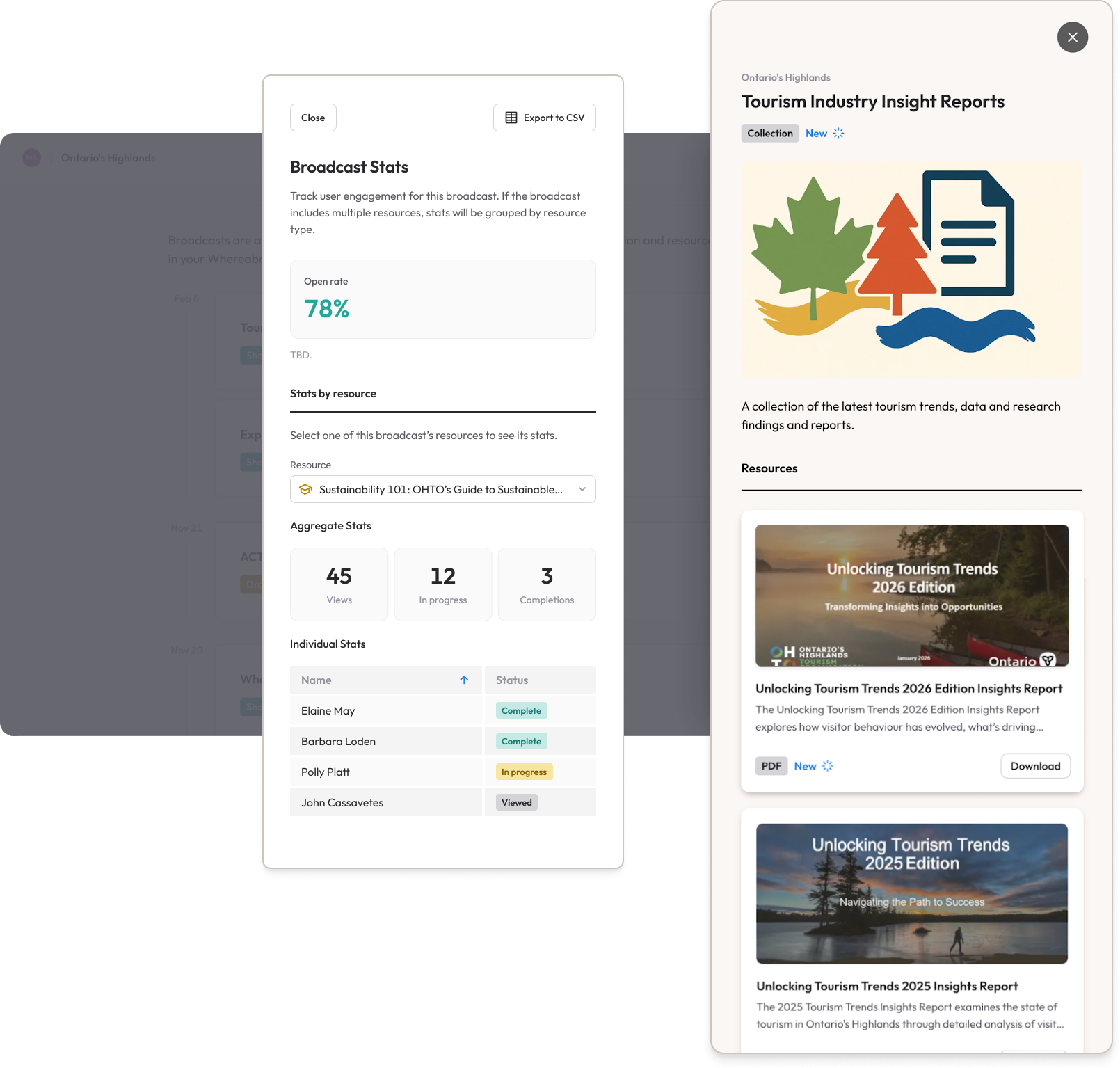
You see exactly who opened your Broadcast, who downloaded the attachment, and who did nothing
One of the biggest advantages of Broadcasts is visibility. Inside your Whereabouts dashboard, you can see who has viewed, who has opened attached files, and who has completed surveys or other actions.
This allows you to follow up more thoughtfully. Instead of sending reminder emails to everyone, you can focus your attention on the small number of partners who have not yet engaged.
For OHTO, this solved a real problem. "One of the challenges was we don't have strong uptake in feedback surveys," Kasey says. "So the best way that we can then kind of monitor that is by seeing who actually engages with it. That's been a huge game changer for us.”
Broadcasts even support learning & training goals
And OHTO is pushing the feature in creative directions. The team has started using Broadcasts to deliver full training courses and modules to their members, built using tools like Articulate. Because Broadcasts tracks engagement, OHTO can see what topics generate the most interest, and where they might need to adjust their approach. It turns one-way communication into something much closer to a feedback loop, even when members are not filling out surveys.
"Being able to monitor the engagement that our members have with it has helped to see where did they drop off on information, what information is really interesting or really getting a lot of traction."
For Kasey, Broadcasts fits into a broader strategy of doing more with the tools they already have: "We're focused on trying to elevate the presence of Whereabouts, getting people into the portal so they can tap into our resources," she says. "Really honing in on Broadcasts, using the lists. We're really trying hard not to do new things, but really maximize on the things we're currently doing."
A practical example: a co-op marketing opportunity
Imagine you secured a partnership with a magazine for a fall season feature. There are a limited number of spots available, and you need responses quickly.
Using Broadcasts, you create a message that explains the opportunity, outlines the deadline and cost, and includes the media kit. You also add a short survey to collect expressions of interest. You then select accommodation providers, attractions, and businesses that have participated in past marketing initiatives and publish the broadcast.
Stakeholders review the details, download the media kit, answer the survey and indicate their interest. You notice that a few key partners have not yet viewed the message, so you send a targeted Broadcast to those and get them involved in the campaign. You don’t have to manage replies across multiple email threads or track responses in a spreadsheet. In a few days, you’ve filled all of the available spots and start organizing the campaign.
More ways DMOs use Broadcasts
Destination organizations use Broadcasts for more than marketing opportunities. Some other ways Broadcasts can support DMO activities are:
- Sharing strategic plans and tracking who has reviewed them ahead of consultations
- Distributing board updates
- Distributing training resources & courses
- Supporting media outreach
- Distributing surveys for research projects
- Communicating event-related updates
- Monitoring engagement with strategic resources
If your team is small and your budget is tight, this was built for you
Broadcasts were built with small destination teams in mind—teams that don’t have a lot of extra time to learn complex software.
"What we really appreciate about Whereabouts is it's very user friendly. It's very intuitive to find the apps and what you're trying to do," says Kasey. "Onboarding has been very easy for me to bring more people into the fold. It's not just me managing the CRM."
For teams operating under tight budgets, and that describes most DMOs, that kind of accessibility matters.
"Our financial constraints and our limitations, quite often this is something that just wouldn't even be realistic to think that this is something that we can do," Kasey reflects. "We believe in innovation and collaboration, and look what it achieved just by doing that!."
See Broadcasts in action
The best way to understand Broadcasts is to see it in use. A short demo can show how it fits into your existing workflow and supports your communication needs.
If you are looking for a clearer and more efficient way to stay connected with your stakeholders, Broadcasts is worth a look.
Set up a demo
The 20-minute conversation might change how you communicate with stakeholders for good.


